Extracting data from tables in images or PDFs is a common challenge in document processing. While several free OCR (Optical Character Recognition) tools exist, choosing the right approach depends heavily on your specific use case. This post explores various techniques for achieving high-accuracy data extraction from complex table formats.
Common OCR Solutions and Their Limitations
Popular OCR libraries like TesseractOCR and EasyOCR work well for simple use cases such as:
- Searchable PDFs
- High-quality photographs
- Clean, printed documents
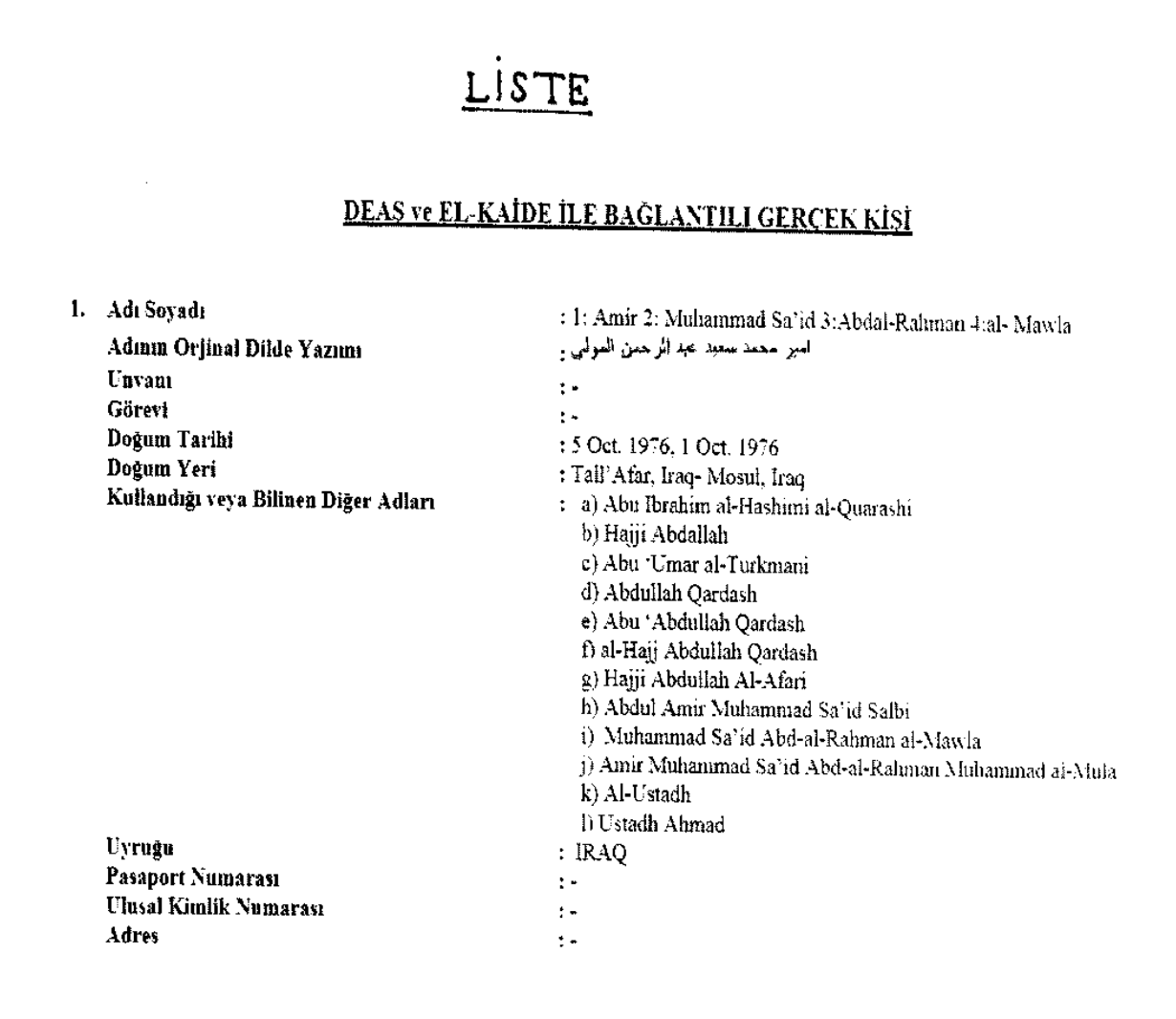
However, these tools often fall short when dealing with:
- Multiple tables in a single image
- Handwritten content
- Poor quality photographs
- Domain-specific formats
Challenges of Custom Model Training
While training your own OCR model can improve accuracy for specific use cases, it comes with significant drawbacks:
- Requires substantial computational resources
- Demands extensive training data
- Takes considerable development time
- May not be feasible for rapid prototyping or POC development
Improving OCR Results Without Custom Training
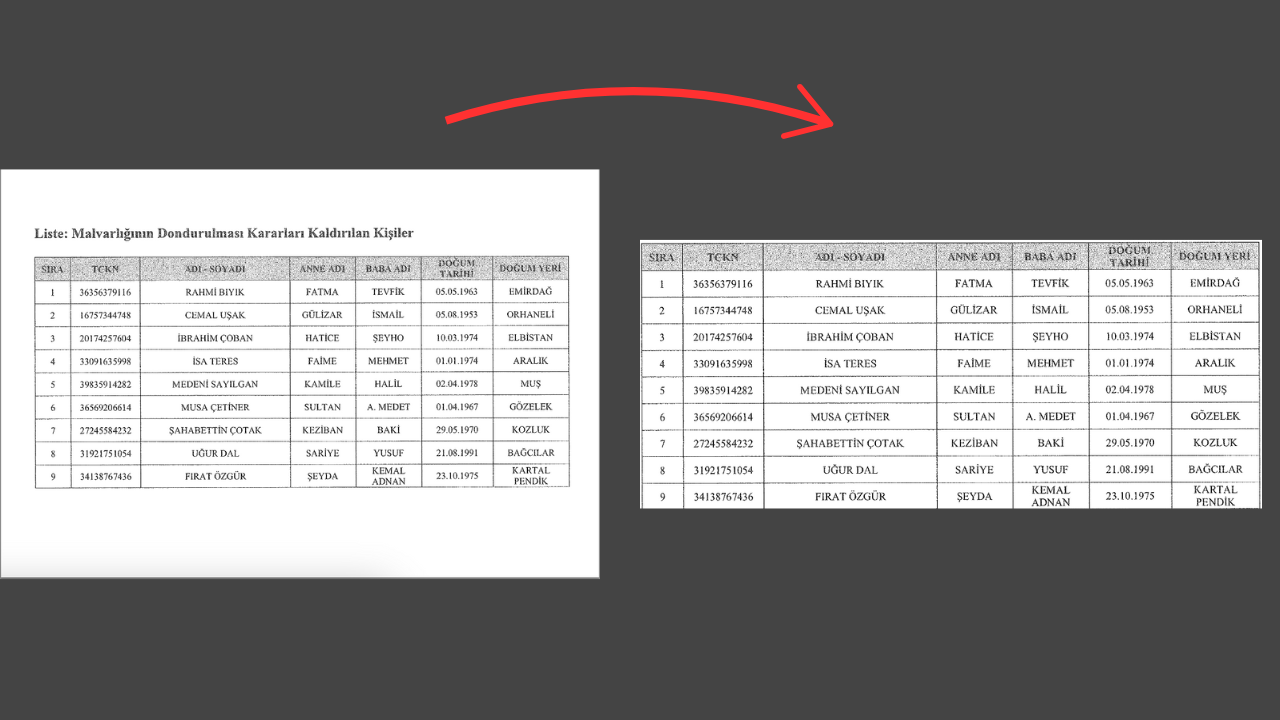
1. Image Pre-processing
Optimize your input images for better OCR accuracy:
- Remove excess white space
- Isolate table boundaries
- Increase contrast between text and background
- Focus on table extraction before text recognition
Result:
2. Content Segmentation
Break down large documents into manageable chunks:
- Process content page by page
- Extract individual tables separately
- Reduce input size to improve processing efficiency
3. Tool Selection
Choose the right OCR tool for your needs:
- TesseractOCR and EasyOCR for simple cases
- docTR for higher accuracy requirements (95-99%)
- Consider specialized tools for specific document types
Structuring Extracted Data
Traditional Approach: Regular Expressions
- Requires writing multiple complex patterns
- Time-consuming to develop and maintain
- Prone to errors with typos or unsupported languages
- May need constant updates for new formats
Modern Approach: Large Language Models (LLMs)
- More flexible and adaptable
- Faster to implement than regex patterns
- Better handling of variations and errors
- Leverages OpenAI's API for structured data extraction
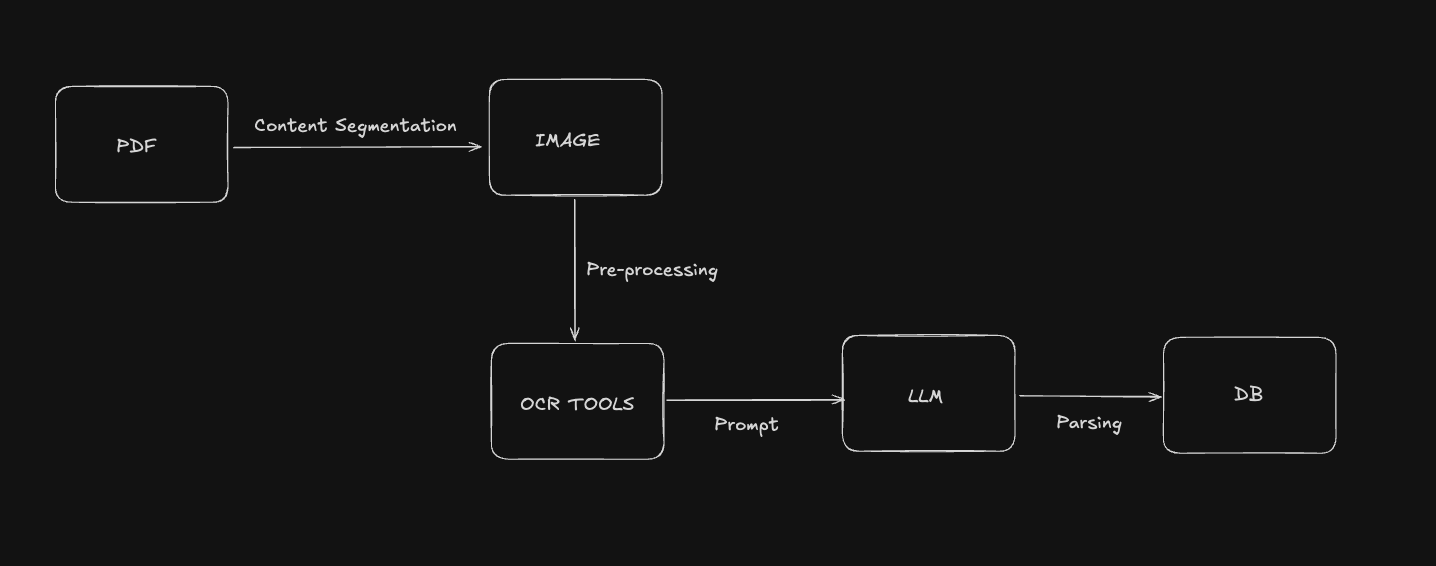
Hybrid Approach: Combining OCR and LLMs
While OpenAI's models aren't optimized for direct OCR processing, combining traditional OCR tools with LLMs offers the best of both worlds:
- Use specialized OCR tools for initial text extraction
- Process the extracted text using LLMs for structured data parsing
- Achieve higher accuracy and more reliable results
This hybrid approach provides:
- Better accuracy than either method alone
- More flexible processing capabilities
- Faster development time
- Improved handling of complex documents
Note: If you are using OpenAI api for extraction beaware of token limits of the model you are using. You can read it on their api documentation page.
Conclusion
For complex table data extraction, combining traditional OCR tools with modern LLM processing provides the most effective solution. This approach balances accuracy, development time, and processing efficiency while avoiding the need for custom model training.